How to Fix a Subscription Payment IssueUpdated 2 months ago
Sometimes subscription payments don’t go through — don’t worry, it’s usually easy to fix. Follow the steps below to get your subscription back on track.
✅ Common reasons a payment may fail
Card expired or replaced
Insufficient balance
Bank temporarily declined the charge
Billing details need to be updated
🧭 Step-by-step: Fix your subscription payment
Step 1 — Log in to your account
Log in using the email linked to your subscription and go to the “Subscription” section.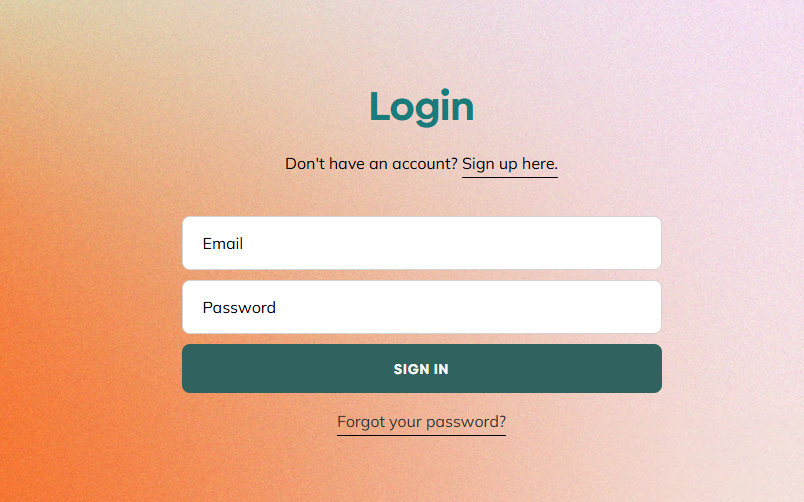
Step 2 — Select your active subscription
Click on the subscription showing a payment issue or failed payment status.
📸 (Insert screenshot: Subscription list with status)
Step 3 — Update your payment details
Go to Payment Method / Billing Details, click Edit, and add or replace your card.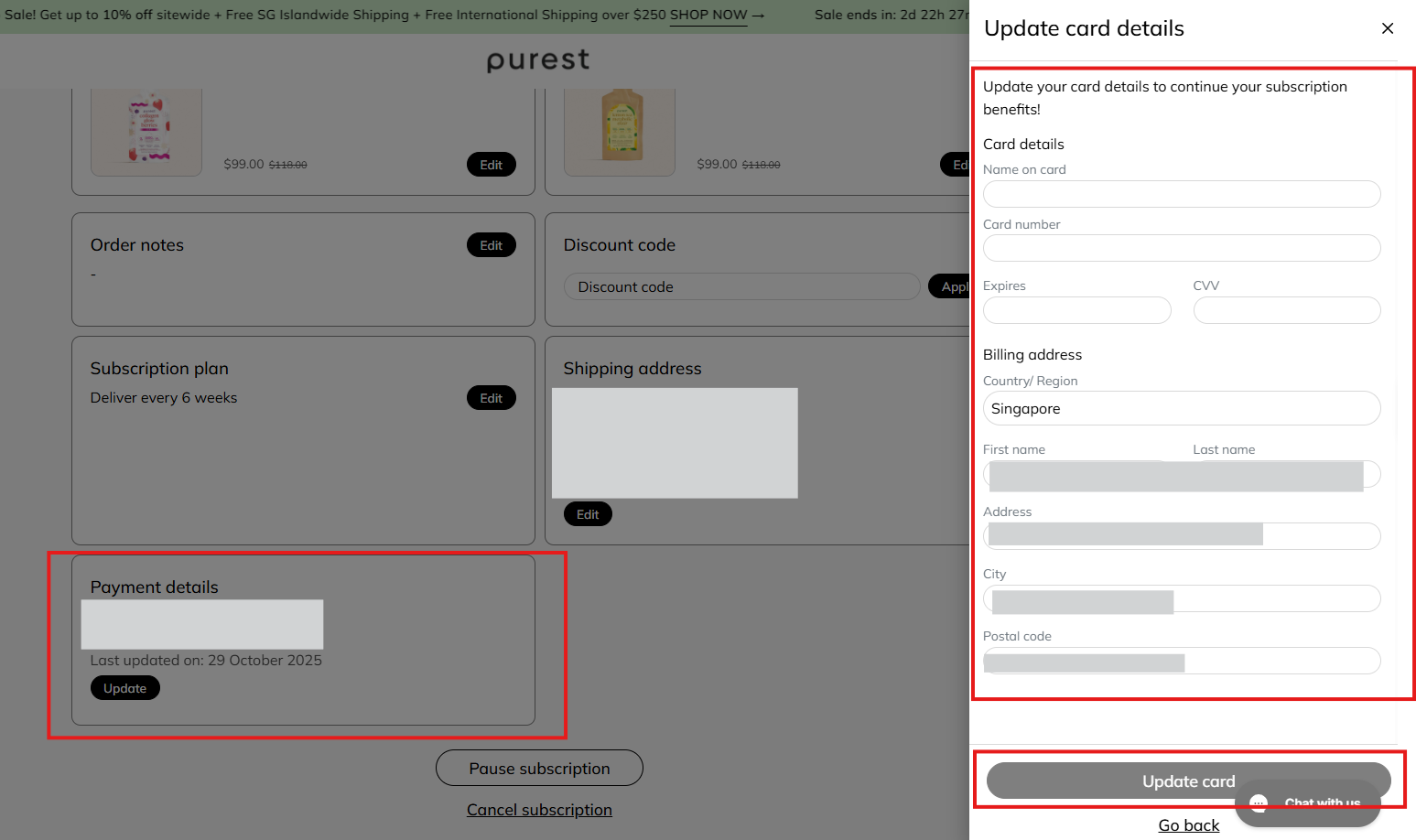
Step 4 — Save & retry
Once updated, the system will automatically retry the payment.
You’ll see a confirmation on screen and may also receive an email update.
💡 Helpful tips
Subscription renewals are automatic based on your selected delivery schedule.
Charges may appear as “Purest Co” or “Stripe” on your bank statement.
Updating your card usually fixes the issue immediately — no need to place a new order.
❓ Still having trouble?
If your payment keeps failing after updating your details, please contact us via chat and share:
Amount charged (or attempted)
Date of charge
Screenshot of the bank message (no card details)
We’re happy to help! 😊